After you install ASP2ASPX, a shortcut of ASP2ASPX has been placed on Desktop. You can double click it to run ASP2ASPX.
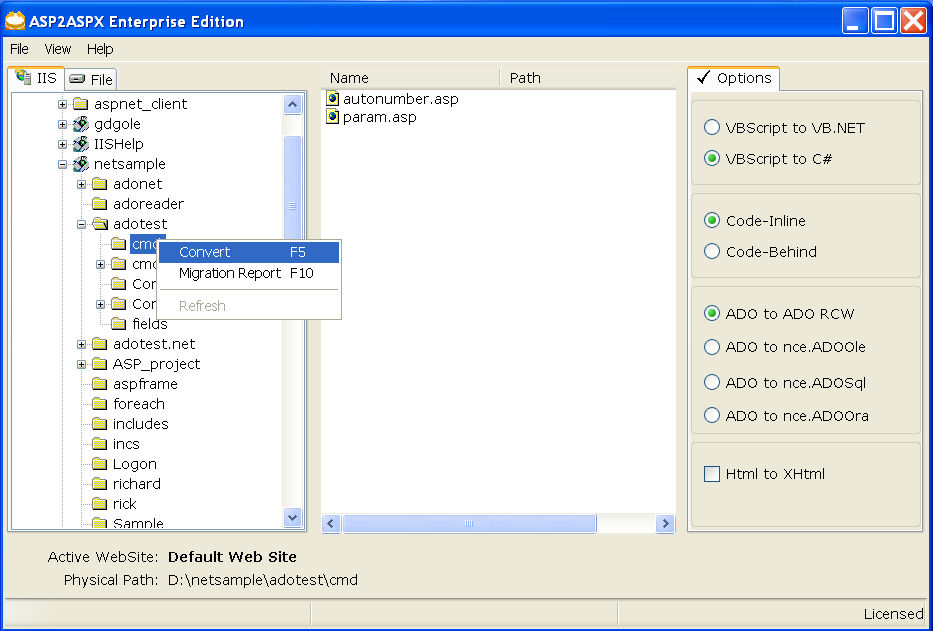
The following picture shows ASP2ASPX window.
The options on above window are described below:
Options |
Description |
VBScript to C# | Convert VBScript to C# |
VBScript to VB.NET | Convert VBScript to VB.NET |
Code-Inline | Convert ASP to the code inline page |
Code-Behind | Convert ASP to the code behind page |
ADO to ADO RCW | If you check this option, ASP2ASPX will convert the original ADO to a .NET assembly (RCW), and continue to use ADODB in ASP.NET codes. |
ADO to nce.ADOOle | Migrate from ADODB to nceADO.NET using OLEDB.NET Data Provider. Please change the connection string of database according to OLEDB.NET Data Provider, following is the connection string sample: MS-Access : "Provider=Microsoft.Jet.OLEDB.4.0; Data Source=d:\test\test.mdb;" SQL Server: "Provider=SQLOLEDB;Data Source=MySQLServer;Initial Catalog=Northwind;User Id=sa;Password=;" |
ADO to nce.ADOSql | Migrate from ADODB to nceADO.NET using SQL Server.NET Data Provider. Please change the connection string of the database as following: "Data Source=MySQLServer;Initial Catalog=Northwind;User Id=user1;Password=pwd1;" |
ADO to nce.ADOOra | Migrate from ADODB to nceADO.NET using the .NET Framework Data Provider for Oracle. Please change the connection string of the database as following: "Data Source=MyOracleServer;User Id=user1;Password=pwd1;" |
Html to XHtml | Convert Html codes to XHtml. |
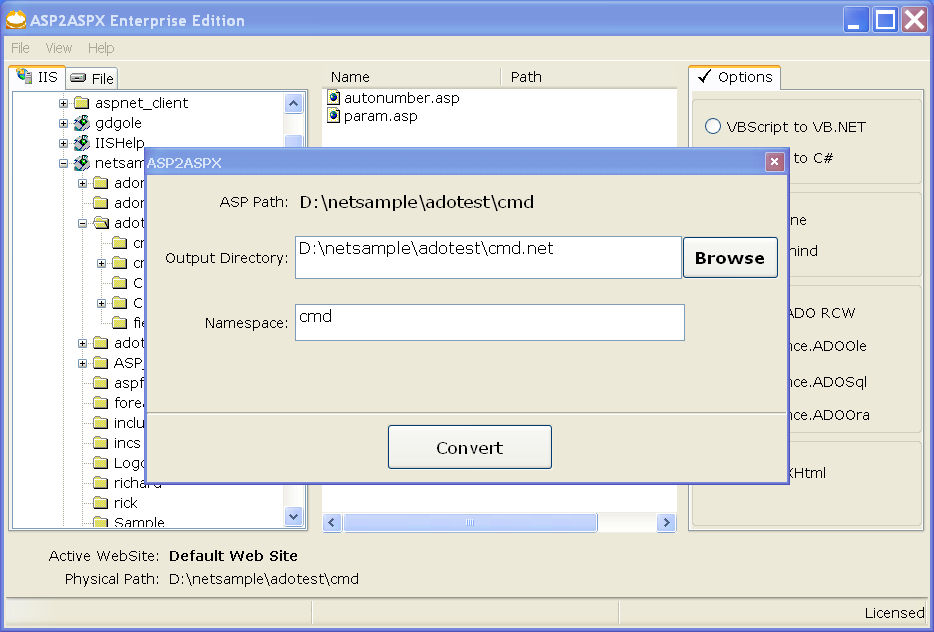
A. Output Directory:
Please input a destination path for placing the aspx file generated by ASP2ASPX.
Note: In order to avoid rewriting the original INCLUDED and HTML files, the Output directory must be different from the 'ASP Path'.
B. Namespace:
Input a namespace for the code behind page. It is optional.
C. Convert
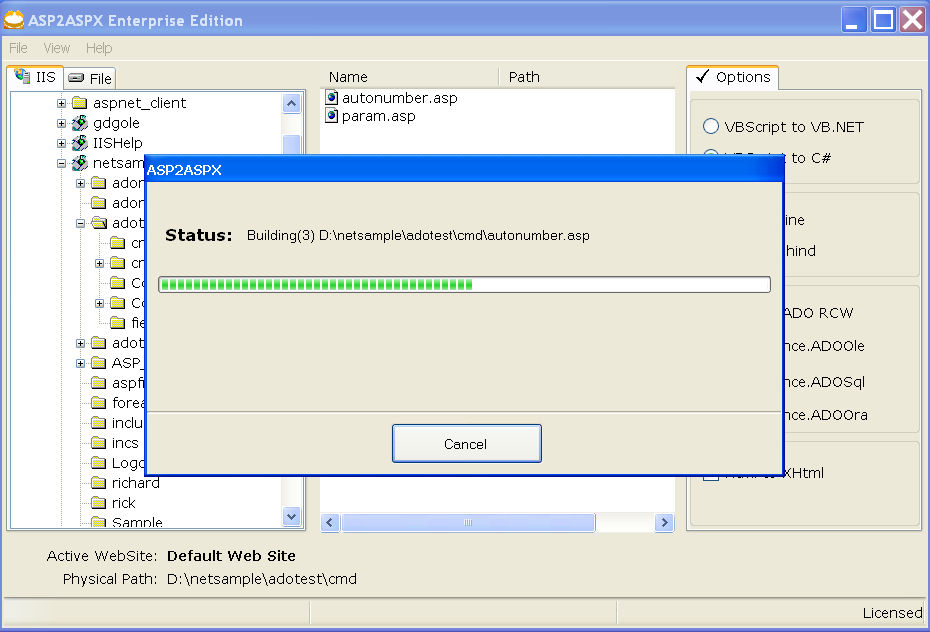
Click on the 'Convert' button to convert ASP to ASP.NET.